



Changing Contact Information
Besides keeping in touch with you, Internode uses your Contact Information for:
- Providing information on new products or changes to products.
- Sending you invoices, account order information, and account usage notifications.
- Verifying your identity when you contact us.
- Resetting your password if it is lost or forgotten.
- Determining who is able to speak with us about your account.
Internode recommends you keep your contact information up to date. This will prevent problems such as missing invoices, or difficulty retrieving your password.
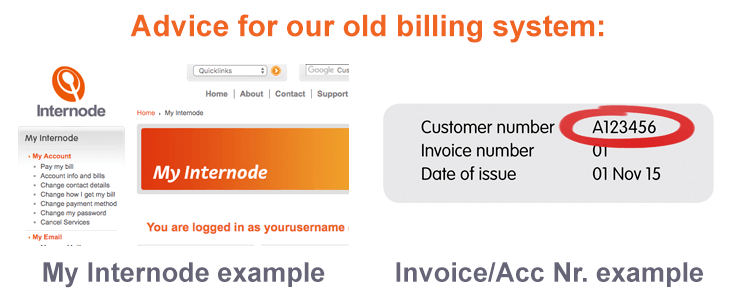
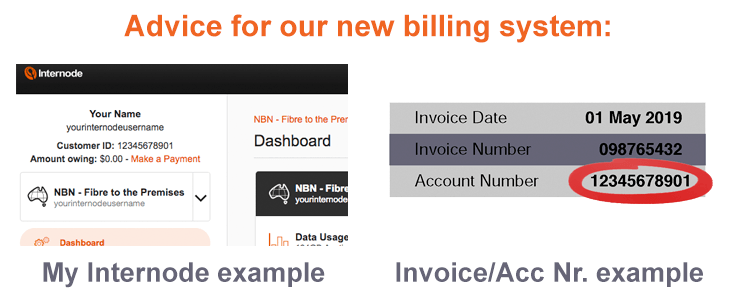
Choose which billing system applies to you:
 |
 |
Advice for our old billing system
 Updating Contact Information
We strongly recommend that you check your details are up to date, and ensure you provide a valid Australian Mobile phone number.
If your contact details need to be updated, please call us 1300 889 188.
NOTE: You cannot change your Name online: you will need to submit a Change of Name request.
 Billing Address and Delivery Method
Your Billing Address is different to your Contact Email Addresses, and is used for billing and administrative correspondence, such as Invoices. This can be an email address, a fax number, or a postal address.
To change your Billing Address:
- Log into My Internode using your Internode username (without @internode.on.net) and password.
- Select Change how I get my bill under My Account in the menu.
- Your current delivery method and Billing Address will be displayed. Confirm that these details are correct.
- If you wish to change delivery method or address, select Invoice Delivery Method. Choose between Post, Email, or Fax, then click Next.
- You will be prompted to enter a new Billing Address. Enter all the details, and click Commit to save them.
NOTE: While invoices can be mailed, this is discouraged for environmental reasons. A surcharge of $1.50 per invoice applies to postal invoices.
 Authorised Representatives
Authorised Representatives are people that can request information or changes to your account. You can nominate whoever you like - friends, family, or staff members.
There are four different levels of access available:
| Type of Authorised Representative | Level of Access to your Account |
|---|---|
| Administrative (Authorised Person) |
Full access to your account |
| Billing Delegate (Contact Person) |
Access to Billing and Account information for example, account balances, payment status, current plan, etc. |
| Technical Delegate (Contact Person) |
Access to Technical information for example, passwords, IP addresses, etc. |
| User (Contact Person) |
Access to general usage information and order statuses. |
To add/modify an Authorised Representative, follow the steps below:
- Contact our Billing Team stating that you need to add an Authorised Representative to your account.
- Make sure that your request includes three (3) points of ID for yourself. Valid points of ID include your Name, Customer Number, Username, or Phone Number. This will help our staff verify your identity (and your account).
- Include the Name of the person you wish to authorise. Make sure to provide their contact details (phone number or email address), and the level of access you need them to have (Administrative, Billing Delegate, or Technical Delegate).
Internode staff can still provide basic assistance to people who are not Authorised Representatives. We can answer general questions, but we cannot provide any personal or account information.
NOTE: Only the Account Owner may nominate an Authorised Representative.
Advice for our new billing system
Updating Contact Information
You can view or update your Contact Information in My Internode: our online account portal.
We strongly recommend that you check your details are up to date, and ensure you provide a valid Australian Mobile phone number.
To view/change your Contact Information:
- Log into My Internode using your Internode username (without @internode.on.net) and password.
- Select About Me in the left menu.
- Your current Contact Information will be displayed: confirm that these details are correct.
- To update Personal Details, click Edit contact information and then update your contact details.
NOTE: You cannot change your Name online: you will need to submit a Change of Name request.
