



NodePhone Configuration for current generation Billion routers
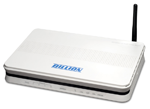
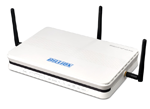
This guide is suitable for the following Billion router models:
 |
 |
|
|
What we'll cover:
- Logging into your Billion router
- Configuring your Billion router for NodePhone
- Advanced NodePhone configuration
Not what you're looking for? Try the Billion ADSL guide, or the Wireless guide.
Configuring your NodePhone VoIP service
Step 1
- Make sure that your computer is connected to your router with an Ethernet cable.
- Open your preferred web browser, for example: Internet Explorer, Google Chrome, or Mozilla Firefox.
- Enter the following number into the address bar and then hit Enter on your keyboard:
- 192.168.1.254 (this number is called an IP Address).
 |
| Figure 1: Entering the IP address to access the router |
Step 2
- The modem Log In page will open. You will be prompted for a username and password.
| Username: | admin |
|---|---|
| Password: | admin |
| This is the router's default username and password. We recommend that you change the password for security reasons. |
|
- Click OK to log in to the router.
Step 3
- Click. VoIP from the menu to the left of the screen.
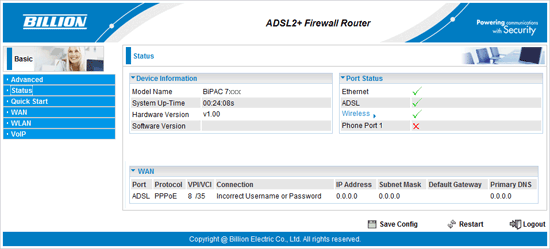 |
| Figure 2: The Billion router's status screen |
Step 4
- The VoIP settings page will appear.
- Enter your NodePhone telephone number in both the Username and Phone Number fields.
- Enter your NodePhone Password in the Password field.
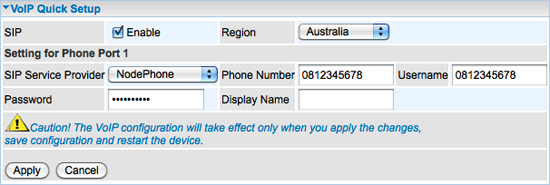 |
| Figure 3: The basic VoIP settings page |
Step 5
- Click Apply to apply the settings.
- Click Save Config at the bottom of the screen, then Apply to save your settings.
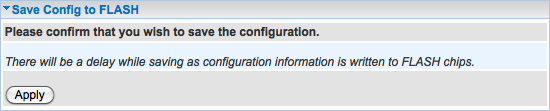 |
| Figure 4: Saving your new router settings |
Congratulations! You have successfully configured NodePhone on your Billion router.
Advanced NodePhone Configuration
The following section details some of the advanced NodePhone features in the Billion R3 Series. It is not essential that this section be configured, however it is recommended as these settings may help prevent call quality issues.
Step 1
- Click on Advanced in the menu to the left of the screen. The menu will change.
- Click Configuration in the menu. Further options will appear underneath.
- Click VoIP in the left hand menu - again, further options will appear underneath.
- Click Phone Port in the left hand menu.
- The Phone Port settings screen will be displayed.
Step 2
- At the bottom of the screen find the Codec Preferences.
- Set Priority 1 as PCMA (G.711 A-Law).
- Set Priority 2 as PCMU (G.711 U-Law).
- Click Apply.
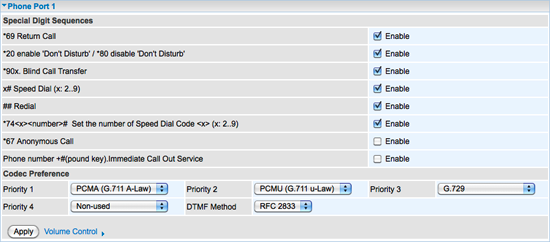 |
| Figure 5: Billion Phone Port settings |
Step 3
- Click Apply to apply the settings.
- Click Save Config at the bottom of the screen, then Apply to save your settings.
|
| Figure 6: Saving your new router settings |
Congratulations! You have successfully configured NodePhone on your Billion router.
Further Assistance
If you are looking to set up your Internet service, Wireless, or Fetch TV, please refer to the following setup guides:
- ADSL Configuration for Billion 7300(G)RA, 7401VGP-R3, and 7404-X Routers
- Wireless Configuration for Billion 7300(G)RA, 7401VGP-R3, and 7404-X Routers
If you are having trouble setting up your router, or would like to clarify some of the steps, please contact our Support Team.
